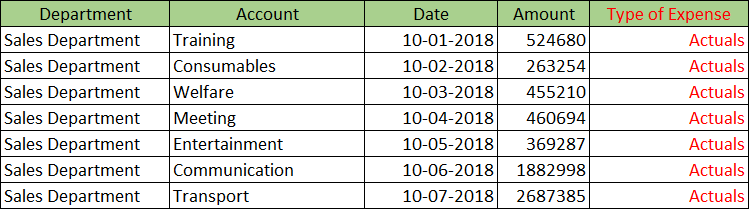
Add Constants command lets you store a particular constant (fixed value) by adding a new field.
Settings
| Settings | Description |
|---|---|
| 1. Name a new field of constant values | Enter name of the new field to store a constant. |
| 2. Select the new field's data type | Select the field type for new field to store a constant. You can select from following field types. |
| 3. Enter a constant to fill the new field | Enter the constant to be stored in new field. |
Example
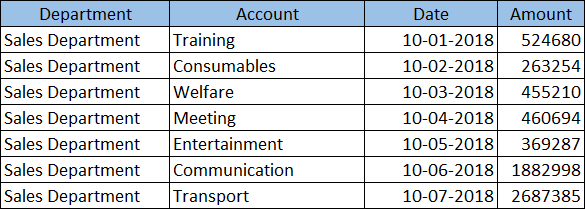
Here is an example of adding a new field indicating the type of expense in an expense management app and setting its value to Actuals.
Input Data
Command Settings
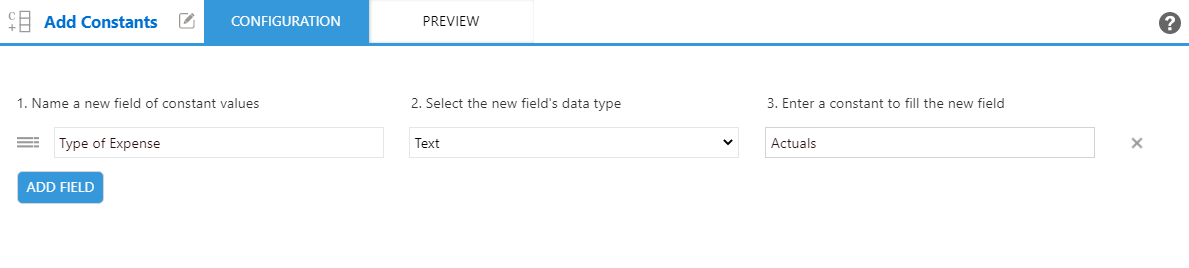
| 1. Name a new field of constant values | 2. Select the new field's data type | 3. Enter a constant to fill the new field |
|---|---|---|
| Type of Expense | Text | Actuals |
Settings Page
Execution Result