
Create Table from Record command creates table from fields of selected records.
Settings
| Setting | Description |
|---|---|
| 1. Select fields to keep in main record | Select fields to keep in record. |
| 2. Input new table name | Enter name of the new table to be created. |
| 3. Select fields to keep in table | Select fields to keep in the new table. |
| 4. Rename the field (if you want) | Enter name of the new field, if you wish to rename the selected field. |
Example
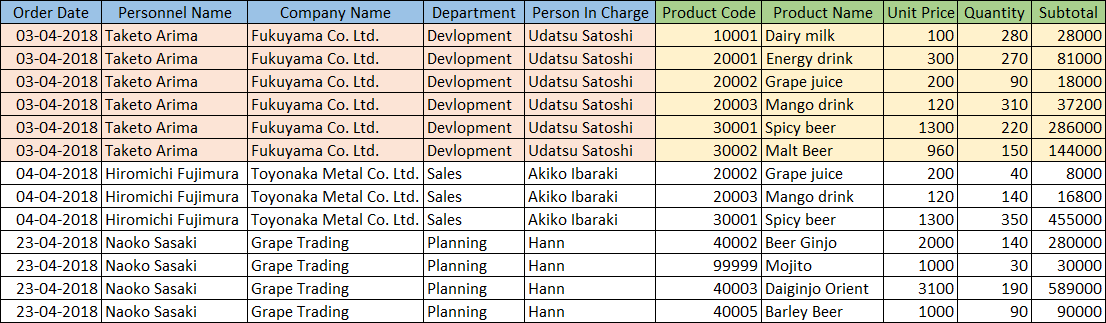
This example demonstrates how to create a product list table from fields related to products in order records.
Input Data
Command Settings
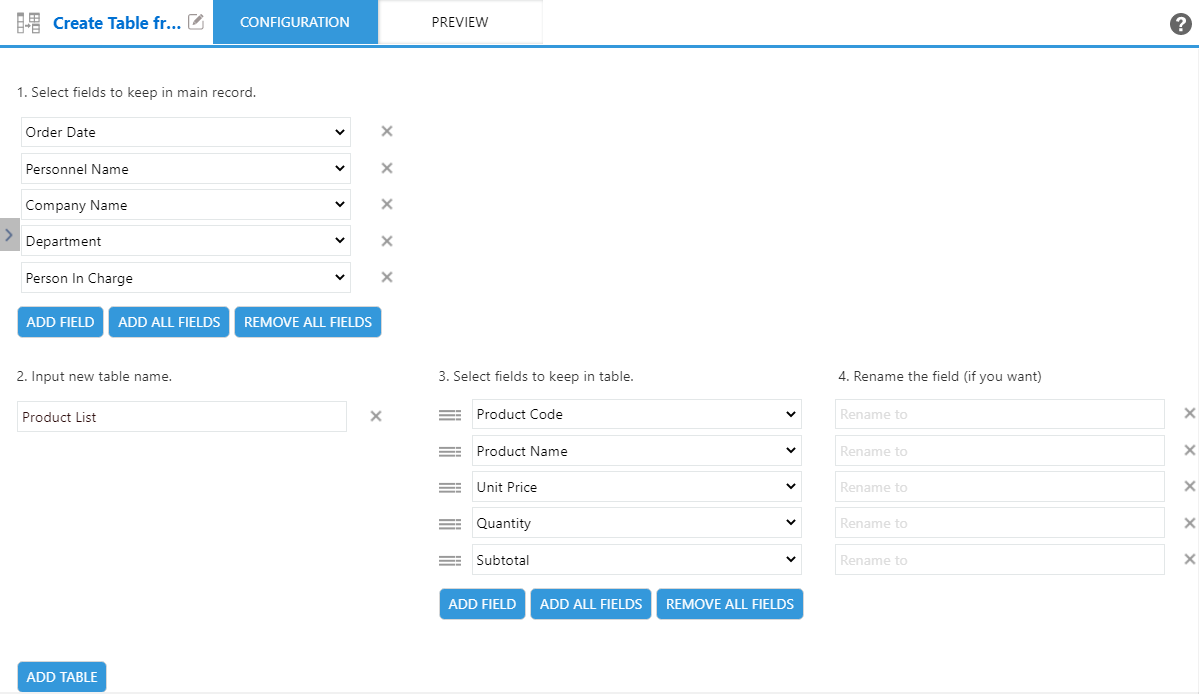
| 1. Select fields to keep in main record | 2. Input new table name | 3. Select fields to keep in table | 4. Rename the field (if you want) |
|---|---|---|---|
| ・Order Date ・Personnel Name ・Company Name ・Department ・Person In Charge |
Product List | ・Product Code ・Product Name ・Unit Price ・Quantity ・Subtotal |
(Blank) |
Settings Page
Execution Result
