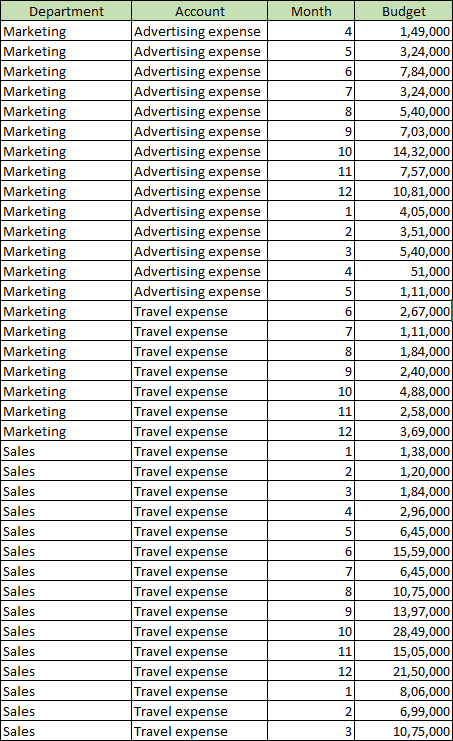
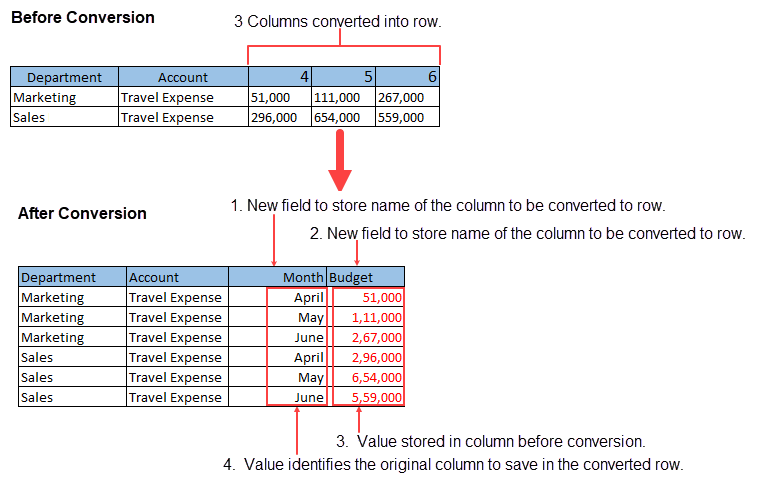
Transpose Col to Row command converts the data structure of the app from any column (field) of input data to a row (record).
 |
Transpose Col to Row command cannot be used for a table. If input data contains a table, it is disposed of on executing the command. If you want to perform Transpose Col to Row command on a table, execute it after expanding the table using Convert Table to Record command. |
Settings
| Setting | Description |
|---|---|
| 1. Name the field that will hold the field labels | Enter name of the new field to store name of the column to be converted to row. |
| 2. Name the field that will hold the field values | Enter name of the new field to store value of the column to be converted to row. |
| 3. Select the fields to collapse | Select the column to be converted to row. You can select multiple columns for conversion. |
| 4. Give this field a new label | Enter a value that identifies the original column to be stored in the converted row. |
Example
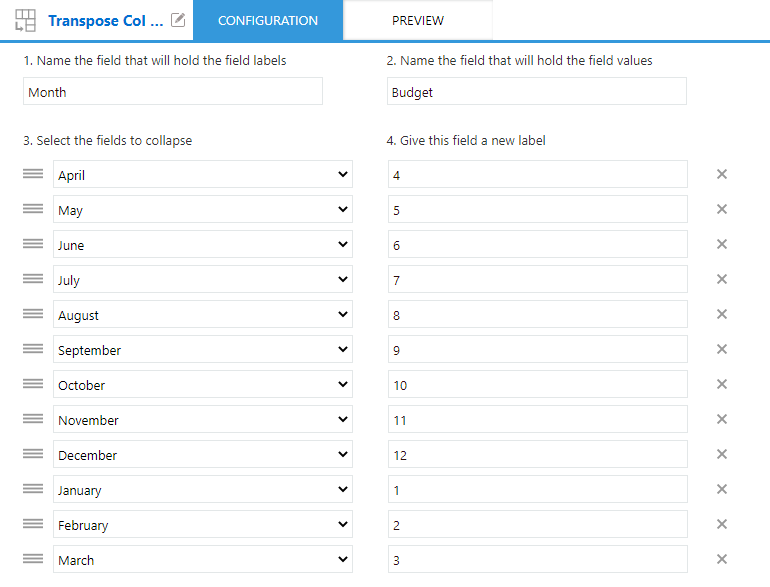
This example demonstrates how to convert month-wise (field) budgeting data of a department to row data (record).
Input Data

Command Settings
| 1. Name the field that will hold the field labels | 2. Name the field that will hold the field values |
|---|---|
| Month | Budget |
| 3. Select the fields to collapse | 4. Give this field a new label |
| April | 4 |
| May | 5 |
| June | 6 |
| July | 7 |
| August | 8 |
| September | 9 |
| October | 10 |
| November | 11 |
| December | 12 |
| January | 1 |
| February | 2 |
| March | 3 |
Settings Page
Execution Result